Pages

Monday, 28 November 2011

Speaker-o-phone anyone?!?

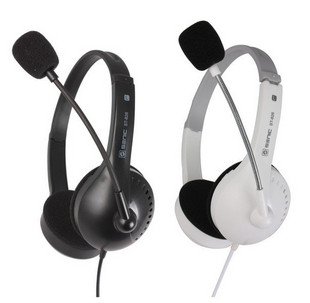
One of these days I wanted to have voice chat with a friend of mine, but unfortunately his microphone was not working. He still had his headphones working though.

So I searched and found a very cool way to fix this.

Apparently microphones and speakers work the same way, however the difference being in the direction of data. Microphone is used to get voice data, whereas speakers are used to output the audio signals.

What I found was extremely simple and straightforward. All you have to do is plug the headphones jack in place of the microphone slot. Hoping that you have desktop speaker to hear other persons voice, you will be able to communicate with your friend using the very same headphones, just have to speak up into those small speakers.


I know what you guys are thinking now. No! its not one of those pranks, it really works. Simple physics!!

Monday, 12 September 2011

Linux Like Installation of OpenCV 2.3.0 on Windows

So you have been using Linux for opencv programming lately and now, for some reason, have no other option then to work on Windows. I too have to go through the same situation when I had nothing but Windows on my desktop and I was been too lazy to install Linux or maybe I wanted Windows for gaming.

Well this is your lucky day then, because I will be guiding you through 'Linux-Like-Installation' of OpenCV 2.3.0 on Windows. This guide will use minimum possible Linux System installation , hence it wont take much time to setup except for OpenCV compilation which takes sometime (and hey we all need sometime to relax)
First step is to download all the packages required for setup. Here are the direct links to the packages. You can also google these packages if, for some reason, you can not download them from here.
  1. Minimalist GNU for Windows: TDM-MinGW-4.5.2
  2. Cmake 2.8.4: cmake-2.8.4-win32-x86
  3. MSYS 1.0.10: MSYS-1.0.10
  4. OpenCV 2.3.0 Source: OpenCV 2.3.0

Tuesday, 16 August 2011

Windows?? nahhhhhh!

Ok, so I have been working alot on mac, for my new project. Today I came back to windows and it seems something is missing.

Hats off to developers of mac os, they have really put everything into its GUI, which windows still lacks a lot.

What I have been having problem with in windows was that if you want to scroll a page, you have to bring it to focus, unlike mac where its as easy as point and scroll.

So off I went googling, because I was hating microsoft people for not having this feature on their most recent version of windows. After a few clicks, I was able to have the same point and scroll on my windows too. Thanks to this small and very useful application named "WizMouse". It really helps when you are developing, and scrolling is all you need.

Download link: WizMouse

Sunday, 14 August 2011

Vision for those who can't see

Following the simple line followers, I did my final year project on something which was much more complex and interesting (atleast it was for me). So, our group developed a prototype Guidance System to help Visually Impaired persons with their daily life.

Basically the concept behind this project was to first limit ourselves to the simplest scenarios a visually impaired person could possibly be in, and then develop a prototype system. Once that system was developed, we moved on to the next level, and did further testing.

Saturday, 6 August 2011

The beginning


So that's where it all started. A few years back, when I was doing my bachelors degree, I started with my strong interests in robotics (not computer vision). Surprisingly, this field was very different from what I was actually studying at university level. I took up to the challenge and along with Telecommunication subjects, I was very keen at learning the basics of robotics. This was the first time I was building my very own robot, little did I know at that time that it was the very same robot which will lead me to a whole new different field of Computer Vision. A simple line follower named tracker was the turning point for my career.


Years later I did a Final Year Project titled "Guidance System for Visually Impaired using Digital Image Processing", which was basically a very complex line follower with no lines drawn at all. It used the natural surroundings and extracted 'useful lines' to compute the deviation and hence guiding a visually impaired person. Eventually I realized that my interests in the field of Computer Vision was way more than what I was studying.